

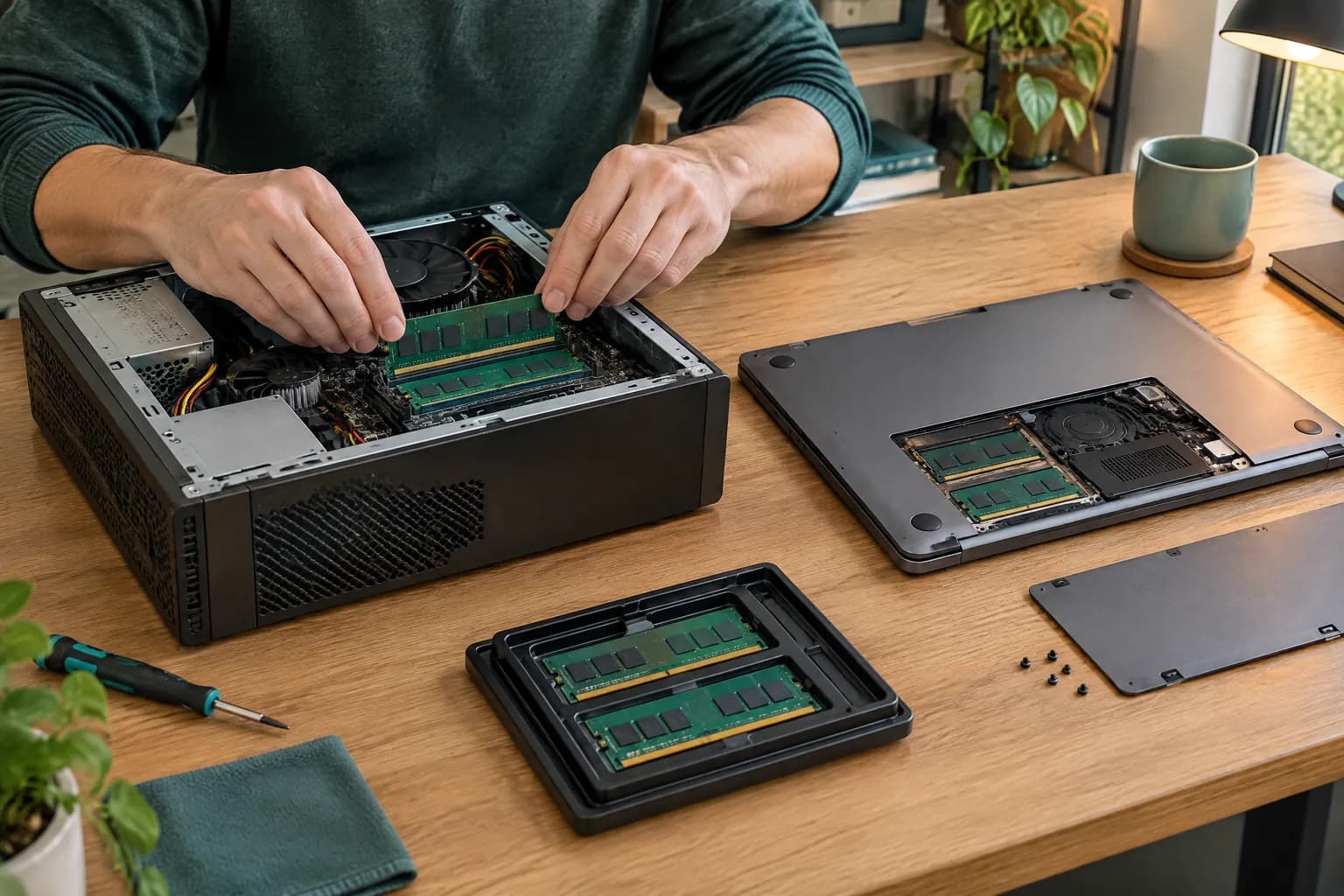
To upgrade memory in a desktop or laptop, match the generation (DDR4 or DDR5) and the module format (full-length UDIMM for desktops, SO-DIMM for laptops, mini PCs and most all-in-ones), stay within the capacity and speed the system supports, and fit modules in matched pairs so the machine runs in dual-channel mode.
Memory is often the cheapest way to keep a fleet productive for another two or three years. Windows 11, modern browsers and video-calling apps use far more memory than the software these machines were bought to run, and a PC that pages to disk all day feels slow however capable its processor is. Ordering correctly is mostly a matter of reading the system's limits before you buy.
DDR4 or DDR5: which does the machine use?
The processor and motherboard fix the generation. Most business desktops bought in recent years use DDR4, while systems built on Intel Core Ultra or AMD Ryzen 7000 series and later use DDR5. Intel 12th to 14th generation machines can use either, depending on the board, so check the exact model. The two generations have their notch in different places, so a DDR5 module cannot be pushed into a DDR4 slot, or the reverse.
Which module format fits?
| Format | Length | Used in | Notes |
|---|---|---|---|
| UDIMM | 133 mm | Tower and small form factor desktops | Standard unbuffered desktop module |
| SO-DIMM | 70 mm | Laptops, mini PCs, most all-in-ones | Shorter module in the same generations |
| ECC UDIMM | 133 mm | Entry workstations and some desktops | Needs a processor and board that support ECC |
| Registered DIMM | 133 mm | Xeon W and Threadripper PRO workstations | Not interchangeable with UDIMM |
| Soldered memory | None | Many slim laptops and some mini PCs | Cannot be upgraded, so buy enough at purchase |
How much memory should office machines have?
For Windows 11 office work, 16 GB has become the practical standard. It holds a browser with many tabs, Outlook, Teams and the Office apps without constant paging. 8 GB still copes with single-application desks such as point of sale or data entry. Designers, analysts, developers and anyone running virtual machines gain from 32 GB, and CAD or GIS workstations often need 64 GB or more. Check the system's maximum per slot and in total before settling on a figure.
Why do matched pairs matter?
Most desktop and laptop platforms have two memory channels. With one module fitted, only one channel carries data; with two identical modules, both work together and memory bandwidth roughly doubles. Machines with integrated graphics share that bandwidth with the display, so a single-module machine can feel noticeably slower. Order two modules of half the target size rather than one large module, and keep pairs of the same part number together.
The processor and board set the speed, not the label alone. A faster module simply runs at the speed the platform supports, and mixing speeds drops every module to the slowest. Paying for modules far faster than the platform can use adds cost and nothing else.
How do you read the label on an installed module?
The quickest way to specify a match is a clear photo of the label on one installed module. It shows capacity, generation, speed and often the rank: 16GB 2Rx8 PC4-3200AA, for example, is a 16 GB dual-rank DDR4 module rated at 3200 MT/s. A PC4 prefix marks DDR4 and PC5 marks DDR5. Send that photo with the system model and we match the part.
What changes with laptops, all-in-ones and mini PCs?
Compact machines need extra care. Many slim laptops have some memory soldered and one free slot, or no free slot at all. Some all-in-ones hide their SO-DIMM slots behind the display assembly, which turns a five-minute job into a depot repair. Mini PCs usually have two reachable SO-DIMM slots but may cap the total. Check the service manual for each model before ordering, and for slim laptops buy enough memory at purchase rather than relying on an upgrade later.
When does pulled memory make sense?
Memory pulled from refreshed fleets is common and can be reliable, because modules rarely wear out. It suits older machines whose generation is no longer sold new, and repair-desk spares. Ask for modules tested by the supplier, supplied in matched pairs and checked against the part number you ordered. For new deployments, or buyers who need a maker's warranty, new modules are the simpler choice.
How we quote memory upgrades
Send the system models, the quantity of each and the target capacity per machine, ideally with a label photo from each model. We confirm generation, format, speed and each model's maximum, then quote one part number per model where we can. Server memory such as RDIMM and LRDIMM for rack and tower servers is sourced by Servers Dubai, so a mixed refresh splits cleanly between the two sites.
Related pages
Related reading

Leave a Comment
Your email address will not be published.